


Tailscale and NetBird networks
Geslar Vezar guide
Besides VPN connections, Geslar Vezar manages Tailscale and NetBird networks — private networks in which your devices (computers, servers, NAS) see each other directly, wherever they are. A network runs alongside a VPN connection. For an introduction see the documentation of Tailscale and NetBird.
Adding a network
- The “Networks” tab → “+ Add”.
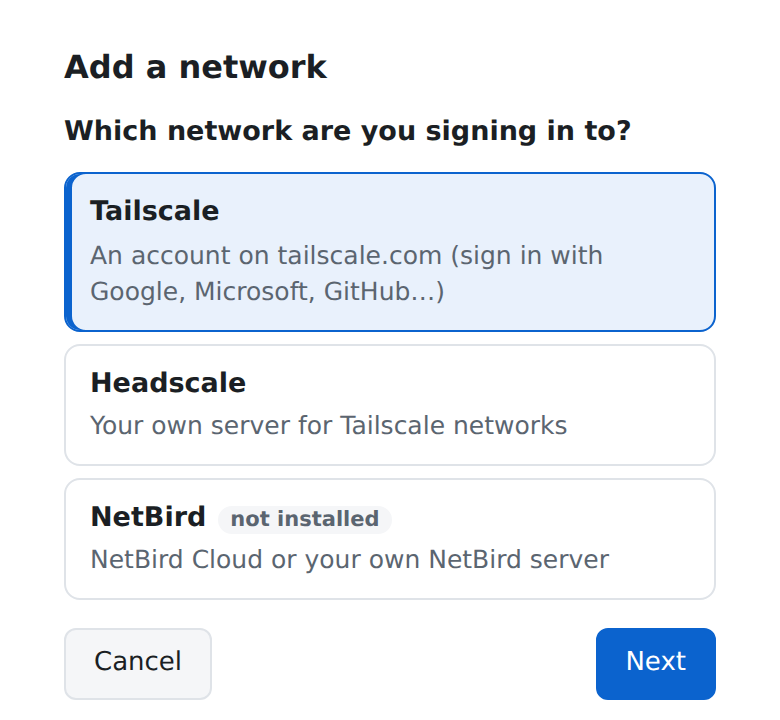
- Choose the network: Tailscale (an account on tailscale.com), Headscale (your own server for Tailscale networks, headscale.net) or NetBird (NetBird Cloud or your own server).
- If the network's official program is not installed, the app downloads it from the vendor with your consent and installs it.
- Sign in in the browser or, if you were given one, with a device key (“I have a device key”). For Headscale and your own NetBird server also type the server's address.
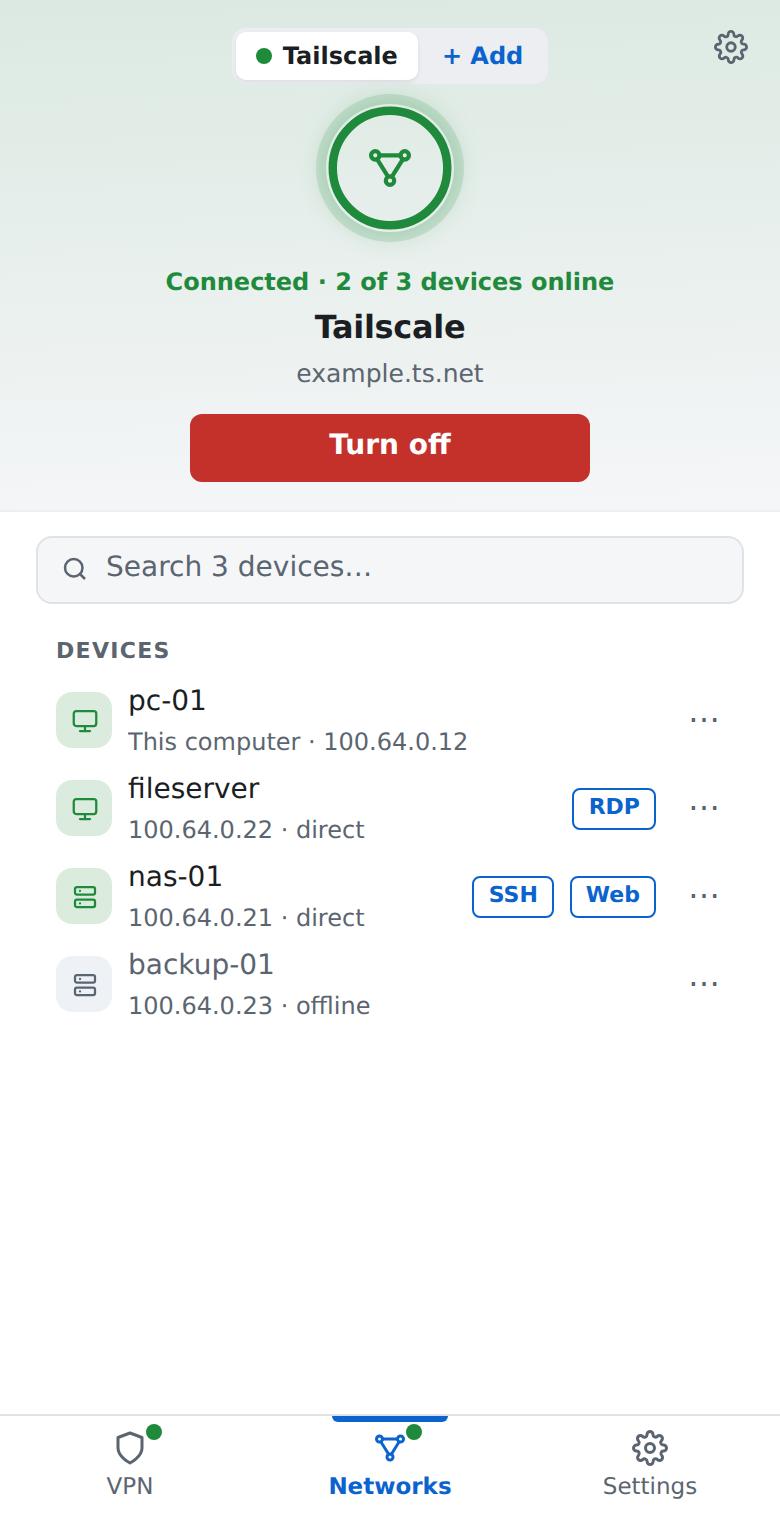
The network's page
It shows the network's state and its devices: “direct” means a direct connection, “through a relay” a connection through the vendor's server, and “offline” that the device is not connected now. Turn the network off and on with the button under its name. What you can do with a device is in Devices in a network.
Advanced
The “Network settings” button (the gear) opens “Advanced”: the exit node (all internet traffic through another device of the network — Tailscale, NetBird), access to the local network, networks behind other devices, the network's DNS, incoming connections from other devices and the client's other options. The “?” button next to each option explains what it does.
Several accounts
Under Advanced → “Accounts” you can keep several accounts of the same network on one computer (e.g. work and home) and switch between them (“Switch”), rename, remove or add one. In Tailscale these are accounts (Fast user switching), in NetBird profiles (Profiles).
Signing out
“Sign out of the network” at the bottom of the Advanced page signs this computer out (NetBird also removes it from the network); to come back you sign in again.
Did not find an answer? Write to us