


Devices in a network
Geslar Vezar guide
On the network's page the app checks which services each online device offers and shows buttons for them:
- “RDP” — opens Windows Remote Desktop to that device.
- “SSH” — opens an SSH program. Which one (“Automatic”, PuTTY or Windows OpenSSH) you choose in Settings → Networks.
- “Web” — opens the device's web interface in the browser.
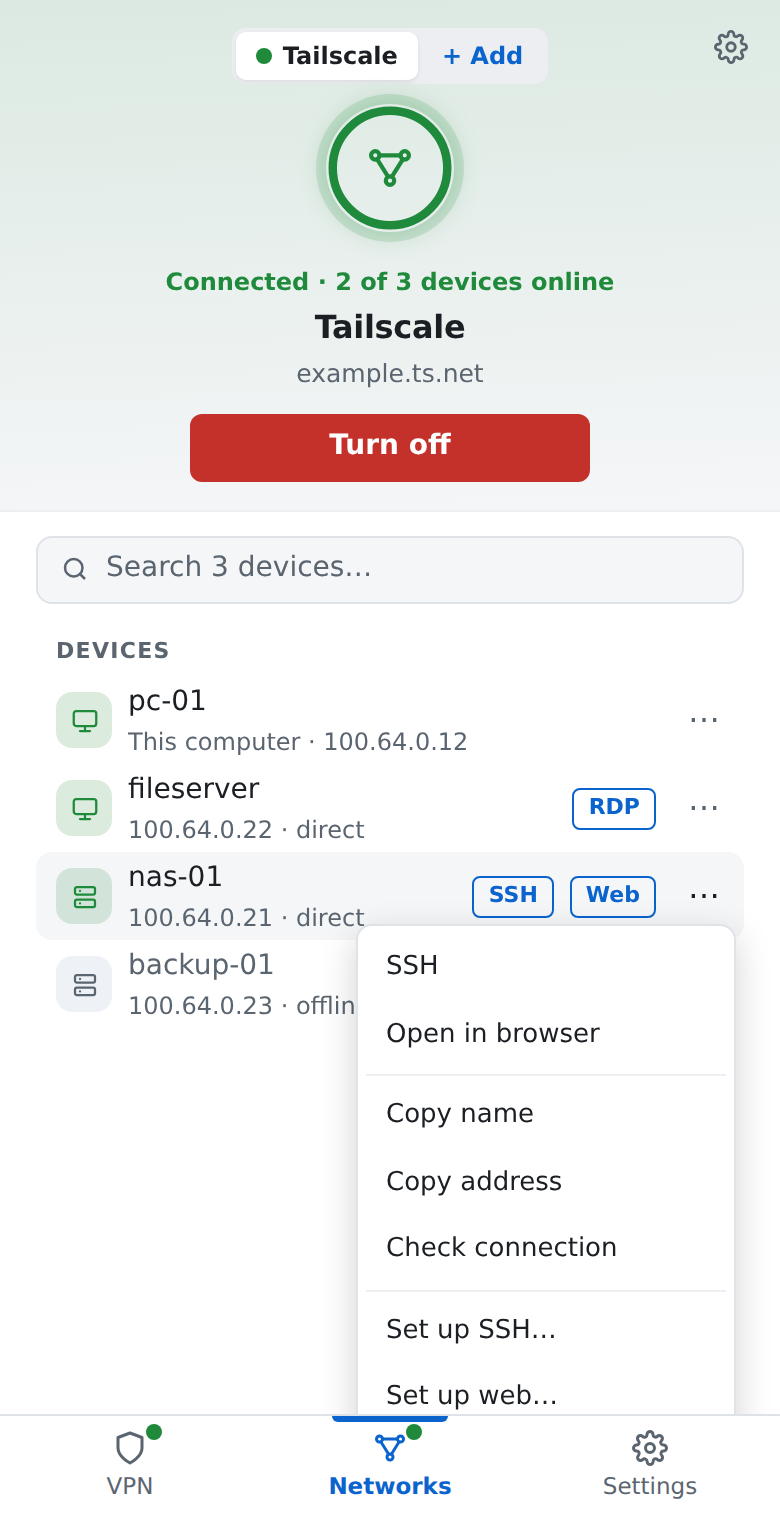
The ⋯ menu next to a device also offers:
- “Copy name” and “Copy address” — to paste into another program;
- “Check connection” — one ping: shows whether the connection is direct or through a relay and how long it takes;
- “Use as internet exit” — when the device offers it, all your internet traffic goes through it;
- “Set up SSH…” — user, key or (Tailscale) signing in with the network's identity, remembered for that device;
- “Set up web…” — protocol and port when the web interface is not on the usual one.
The SSH program asks for the SSH password; the app never sees it.
Did not find an answer? Write to us