


Adding a VPN connection
Geslar Vezar guide
Each VPN connection in Geslar Vezar is a profile. Add one with the + button next to the search box or, while you have none yet, with “New profile”. The easiest is to type the server's address and let the app set up the rest; below are the other ways, for a file, for connections from other VPN apps and for entering it manually.
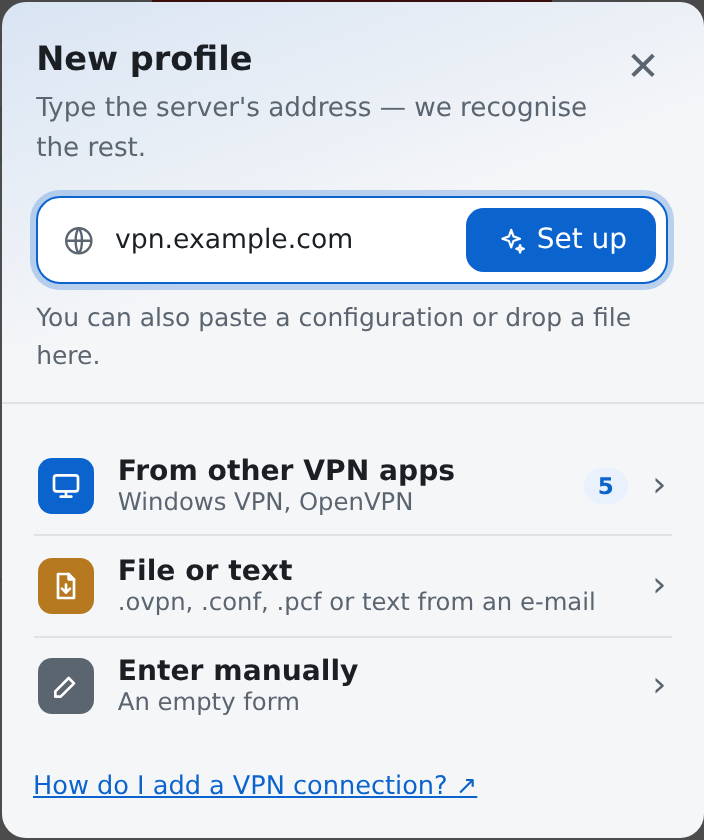
I have the server's address — “Set up automatically”
- Type the address you were given, e.g.
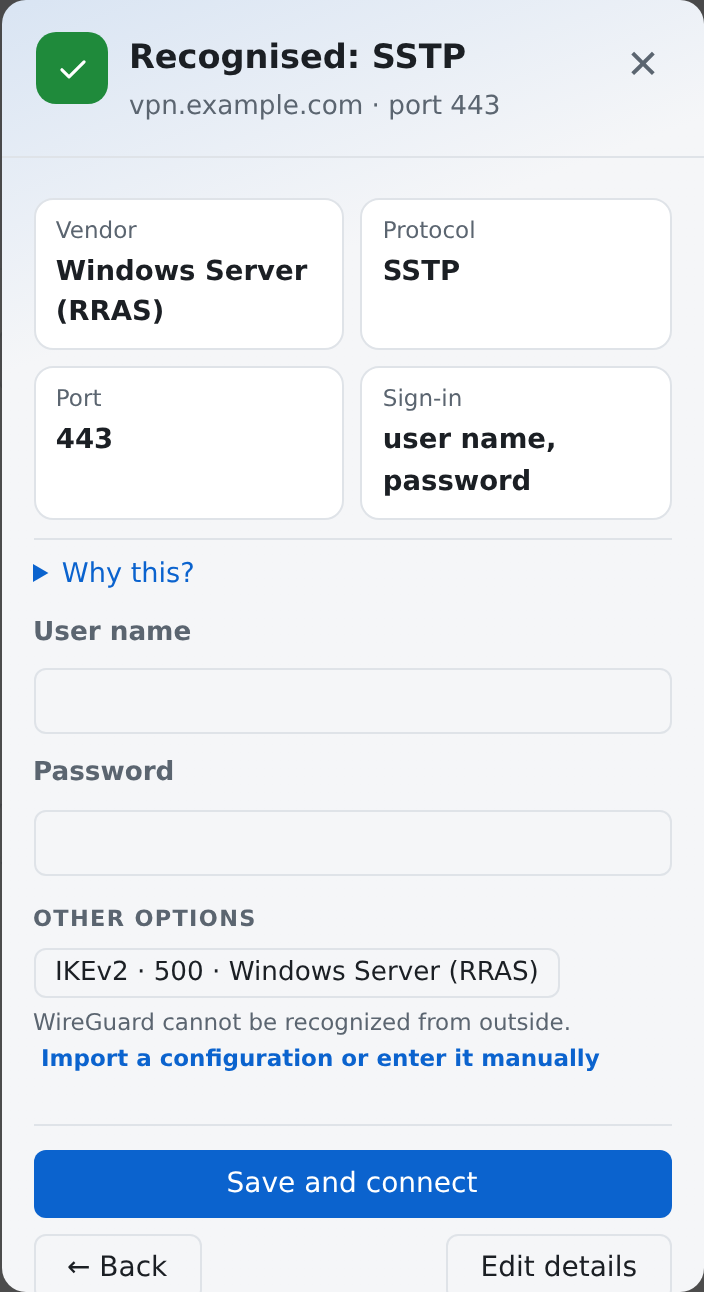
vpn.example.com, in the field at the top of the “New profile” window. - Press “Set up automatically” (“Set up” in a narrow window) or Enter. The app checks the server and under “Recognised” shows the vendor, protocol, port and how you sign in.
- Type your user name and password if the server asks for them.
- Press “Save and connect”. The app tries the connection at once. If the server does not accept the recognized way, it tries the next equally secure one by itself. A weaker way, e.g. IPsec (IKEv1) instead of IKEv2, is only offered, marked “deprecated” — try it with “Try …” if the server allows nothing else. If a way also needs a pre-shared key (PSK), type it and choose “Continue”. The profile is saved with the way that works; “Done” closes the window. If none works, “Edit manually” opens the form.
“Why this?” below the recognized details says what the app chose that way by (e.g. the server refuses IKEv2, the firewall's web page) and what the other options are. When the same server is already set up in another VPN app on the computer (e.g. FortiClient or Windows VPN), the app says so — “Take its settings” uses its exact settings. When you type an IP address and the server presents a name, you can choose that name (“Use …”), as the connection checks the name in the certificate.
To change anything else before connecting (name, group), choose “Edit details”. A configuration pasted into the address field is recognized and imported.
When the server offers more than one way to connect, you can pick another under “Other options”. WireGuard cannot be recognized from outside — import its configuration or enter it manually.
OpenVPN Access Server. When the app recognizes an OpenVPN Access Server, you can download the profile straight from it: type your user name and password and press “Download the profile from the server”. If the server asks for a code from an authenticator app, type it in the window that opens. If the server presents a certificate this computer does not trust, the app shows its fingerprint; choose “Trust and download” only if the administrator confirmed it. When the server asks you to sign in on its web page, download the .ovpn file there and import it.
I have a file or instructions by e-mail — “File or text”
Choose “File or text”, then a file (“Choose file…”) or paste the text from the e-mail (“Paste text”). It recognizes OpenVPN .ovpn, WireGuard .conf, Cisco .pcf, a FortiClient backup (.xml), Azure VpnSettings.xml, the whole Azure export (.zip, with the DNS and routes for the Azure VPN Client) and the details in an e-mail's text. You can also just drag the file into the app's window.
My connections are already in another VPN program — “From other VPN apps”
The app finds the connections already on the computer (e.g. in Windows VPN or OpenVPN) and lists them. Select the ones you want and press “Import selected”. The other programs' settings are not changed.
Each connection says what it still needs: “ready”, “asks for password” (you type it when connecting) or “not supported”. When a connection needs files that were not found, it says so — import them with the profile later.
I have all the details — “Enter manually”
Choose the vendor of the device you connect to and the protocol; the form then shows only the settings that really work for them. Type the profile's name and the address, then your sign-in details. The “?” button next to a field explains what goes in it.
After adding
The profile appears in the list. Connecting is described in Connecting and signing in.
Did not find an answer? Write to us